Application Description
In the age of smartphones, photography has evolved from a simple hobby into a true art form. Driven by platforms like Instagram, we all aim to capture and share stunning images. Even the best photos, however, sometimes need a little magic to truly shine. This is where PhotoShot – Photo Editor comes in. This versatile app offers a vast range of features that can turn your ordinary photos into extraordinary visual art.
Amazing Photo Transformation
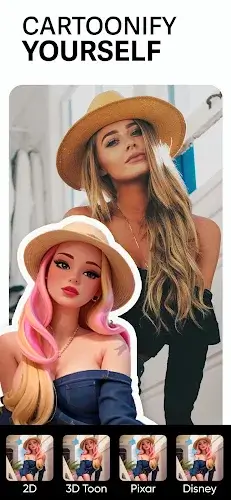
- Cartoonify: A standout feature, Cartoonify uses AI to transform your photos into charming cartoons with a single tap. It's a fun and unique way to add a playful twist to your images.
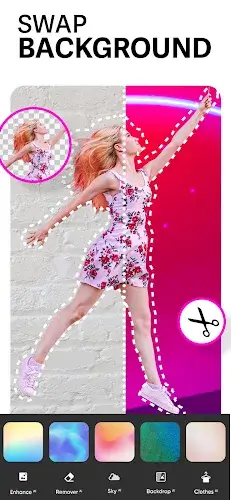
- Sky Changer: A game-changer for landscapes, the Sky Changer lets you swap out skies for various high-quality backgrounds, effortlessly enhancing the mood and atmosphere of your photos.
- Background Photo Editor: Simplify erasing and replacing backgrounds with access to over 100 options. Give your photos a fresh and exciting context with minimal effort.
- Cutout: The AI-powered Cutout tool quickly removes backgrounds to create PNG images, saving time for designers and anyone needing to isolate subjects for creative projects.
- Blender: Blend two images to create stunning artwork. Merge photos seamlessly or create captivating double exposures with this versatile tool.
- Clothes Changer: Experiment with different outfits by changing clothing colors in your photos using this unique AI feature—no wardrobe changes required.
Photo Enhancement
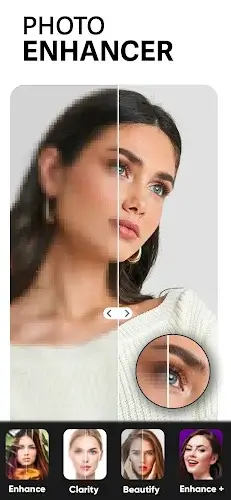
- AI Photo Enhance: PhotoShot excels at improving image quality. The AI Photo Enhance feature can enlarge, upscale, and denoise low-quality photos, making them sharper and more visually appealing.
- Retouch Selfies: Selfie lovers will appreciate this tool. Enhance and beautify your photos with a wide range of filters to achieve flawless skin, captivating eyes, and perfect portraits.
Useful Editing Tools
- Remove: Clean up your images by easily removing unwanted objects like watermarks and logos—a handy way to ensure your photos look professional.
- Add Text: Choose from over 100 fonts to add text to your photos. Whether creating memes, invitations, or captions, the creative possibilities are endless.
- Add Stickers: Inject fun and personality into your pictures by easily adding stickers. Customize your visuals with a huge collection for every occasion.
Special Effects
- Effect: Apply eye-catching effects like Neon, Glitch, Drip, and Light FX to give your photos a distinct and artistic edge.
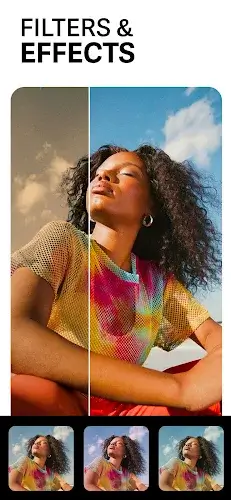
- Filter: Quickly enhance the mood and tone of your images with hundreds of free filters, from vintage looks to modern aesthetics.
- Blur: A powerful editor featuring motion blur and DSLR blur effects to create professional-looking photos with beautiful depth of field.
Photo Cropping and Resizing
- Crop: Effortlessly rotate, zoom, and resize your photos to get the perfect framing and composition.
- Resize: Square and blur photo backgrounds to make your images more Instagram-friendly, perfect for social media enthusiasts wanting their feed to stand out.
Conclusion
PhotoShot – Photo Editor is your comprehensive, one-stop solution for photo editing. With its wide array of transformative features—from enhancement tools and special effects to cropping and resizing—it empowers you to unleash your creativity and elevate your photos. Whether you're a professional photographer or a casual snapper, PhotoShot provides the tools to make your images truly shine. Try it today and watch your photos transform into captivating works of art.
PhotoShot - Photo Editor Screenshots
Reviews
Post Comments
Trending Games
Trending apps



![Neko Paradise – New Version 0.18 [Alorth]](https://img.1q2p.com/uploads/03/1719595169667ef0a1c529a.jpg)







Topics
More
Latest Articles
More