Melon Sandbox Essential Tips for Creativity
Author: Dylan
Jan 15,2026


Melon Sandbox is a physics-driven sandbox game that grants players complete freedom to experiment, destroy, and create within an open world packed with tools, objects, and characters. Whether you're building wild contraptions, testing ragdoll physics, or staging massive battles, mastering the game's details will let you design more thrilling and dynamic scenarios. Here are some key tips and tricks to get the most out of your time in Melon Sandbox.
If you're just starting out, be sure to read our Melon Sandbox Beginner's Guide for a strong foundation.
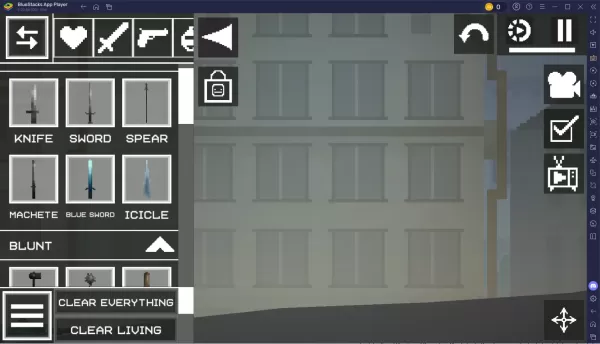
Before tackling complex projects, take time to learn the basic gameplay mechanics. Melon Sandbox uses a drag-and-drop system where you place characters (such as Melons), weapons, tools, and objects onto an empty stage. The game's physics engine ensures every item interacts in a realistic way.
Use the Object Library effectively. Dedicate some time to exploring how items are organized into categories.Learn essential controls: moving, rotating, resizing, and removing objects.Use the Pause function when setting up your scene to stop objects from falling or reacting before you're finished.
Melon Sandbox boasts a vibrant modding community. Installing mods can vastly expand your possibilities. Add weapon packs, new maps, and character skins. Download community-built machines, contraptions, and arenas from online forums and platforms like the Steam Workshop. Always follow mod installation instructions closely, as some mods may not work with the latest game version.
You can also play Melon Sandbox on the larger screen of your PC or laptop using BlueStacks, along with your keyboard and mouse.







![Neko Paradise – New Version 0.18 [Alorth]](https://img.1q2p.com/uploads/03/1719595169667ef0a1c529a.jpg)






