
Application Description
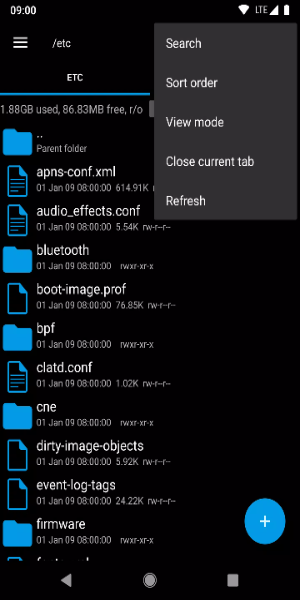
Unlock the power of advanced file management with Root Explorer, your go-to solution for effortlessly navigating, organizing, and customizing your Android device's file system. Whether you're a power user demanding precise control or simply looking to keep your files in order, Root Explorer puts a comprehensive toolkit right in the palm of your hand.
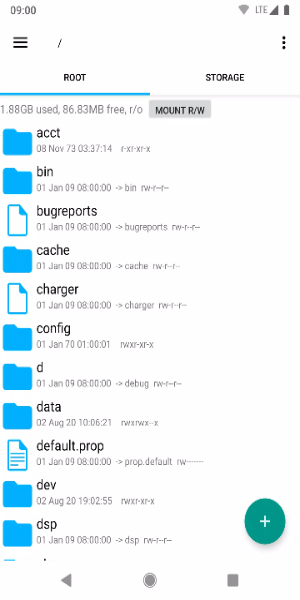
Standout Aspects:
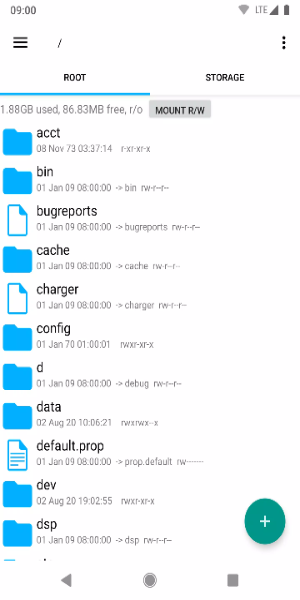
· Full Root Access: Obtain unrestricted entry to system files and folders, empowering you to deeply customize and fine-tune your Android device.
· Intuitive File Management: Easily copy, paste, move, rename, and delete files using a streamlined, user-friendly interface built for speed and simplicity.
· Archive Support: Handle ZIP and RAR files with ease—compress or extract archives to keep your storage neat and organized.
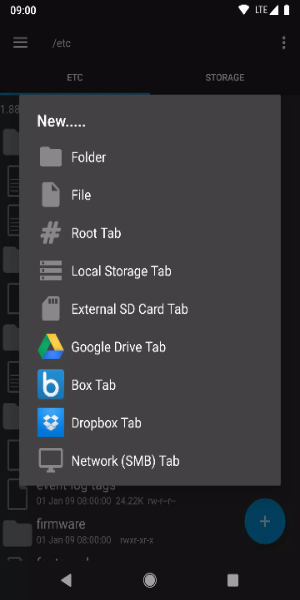
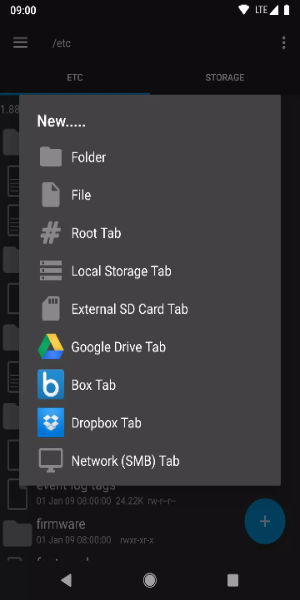
· Remote File Access: Manage files directly from your favorite cloud services, including Google Drive, Dropbox, and OneDrive, all from within the app.
· Built-In Viewer and Editor: Preview images, documents, and text files on the spot, and make quick edits to text files without needing extra software.
New permissions:
Full network access - This permits network and cloud service functionality. No personal data is transmitted online.
Add or remove account - Used by the Google Drive SDK to add a new account when necessary. No changes are made to existing accounts, and detailed account names are not accessed separately.
Find accounts on device - Helps list available Google accounts for logging into Google Drive.
Prevent sleep - Prevents the device from going to sleep during lengthy operations, ensuring tasks complete without interruption.
Tips for Users:
- Backup System Files: Always create backups of critical system files before making any changes. This safety net allows you to restore your device if something goes wrong during customization or file edits.
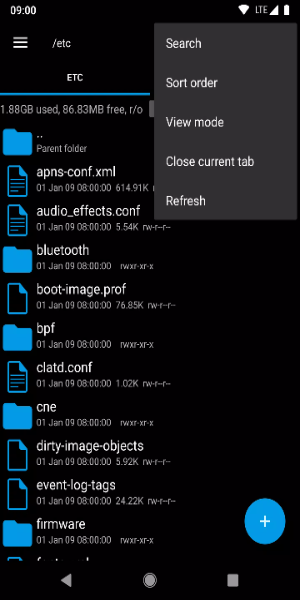
- Utilize Search Function: Use Root Explorer's powerful search tool to quickly find specific files within large folders. This feature saves time by letting you search with keywords or filters, making navigation a breeze.
- Customize Favorite Locations: Boost your productivity by bookmarking frequently used folders. Create shortcuts for quick access, so you don't have to dig through directories every time.
- Set Permissions Carefully: Be cautious when adjusting permissions for system files. Incorrect settings can lead to instability or security risks. Always double-check and understand what each permission change will do.
- Keep App Updated: Regularly update Root Explorer to access the latest features, improvements, and security fixes. Staying current ensures optimal performance and protects your device.
Enjoy Root Explorer on Android Now
Root Explorer is the essential tool for Android users who want complete mastery over their device's file system. With features like full root access, intuitive file management, archive handling, cloud integration, and built-in editing, it's perfect for everyday users and tech enthusiasts alike. Elevate your Android experience today with Root Explorer—where convenience meets deep customization, wherever you go.
Root Explorer Screenshots
Reviews
Post Comments
Trending Games
Trending apps




![Neko Paradise – New Version 0.18 [Alorth]](https://img.1q2p.com/uploads/03/1719595169667ef0a1c529a.jpg)







Topics
More
Top-Rated Productivity Tools to Boost Your Workflow
Mind-Bending Puzzle Games for Android
Best Productivity Apps to Boost Your Efficiency
Offline Puzzle Games to Play Anytime
Explore the World of Arcade Games
Best Casino Games Online
Beauty Apps: Your Guide to Stunning Looks
Top Rated Strategy Games on Google Play
Latest Articles
More