
Application Description
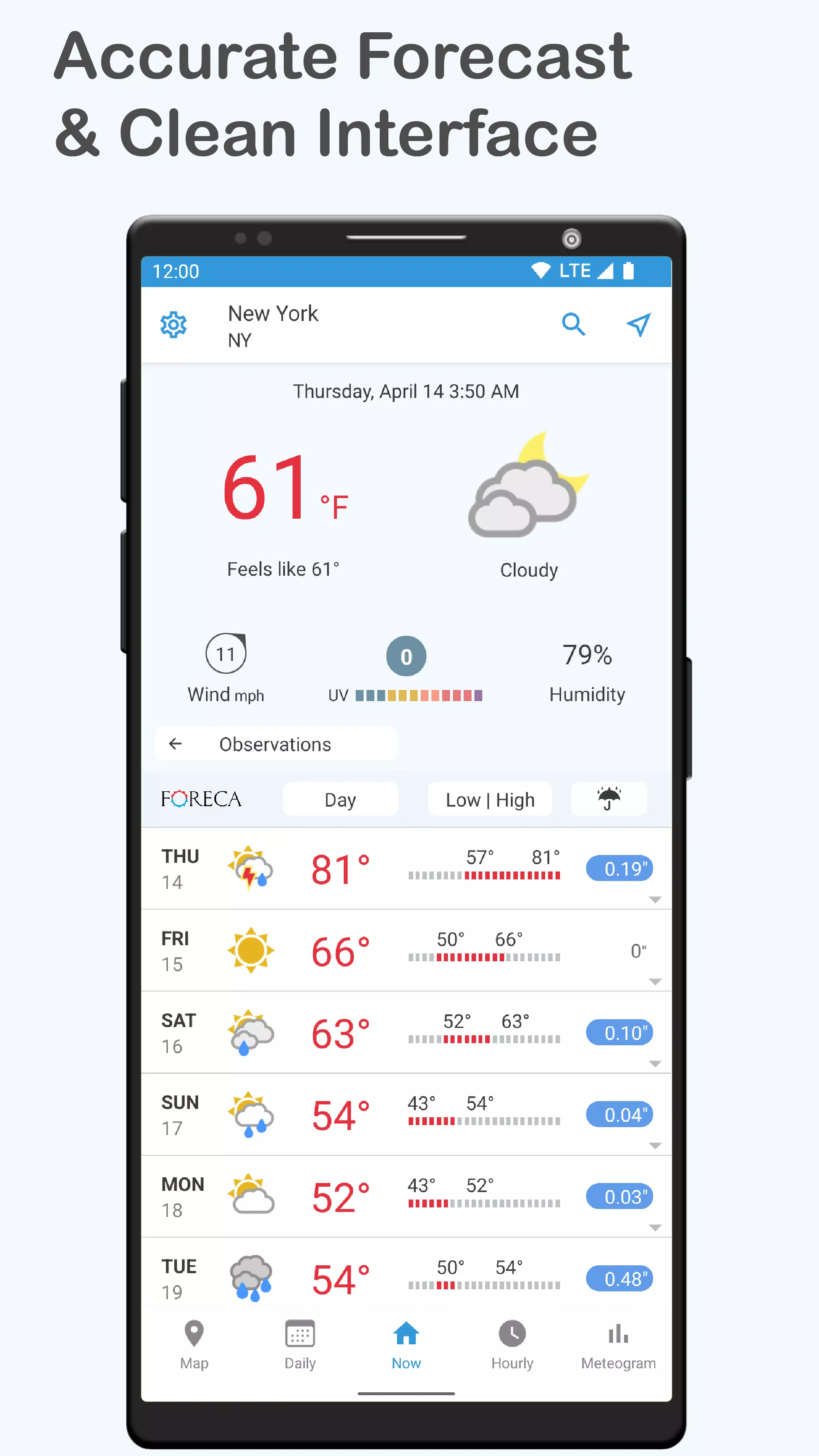
An exceptionally accurate, clean, and user-friendly weather app that is highly customizable to your needs.
This highly precise, intuitive weather application with a clean interface is widely adaptable to suit your personal preferences.
5 REASONS TO CHOOSE FORECA:
1) FORECAST ACCURACY: Foreca is ranked as the world's most accurate weather provider for precipitation forecasts. In general forecasting, we have long been recognized as the top provider in Europe and rank among the world's best overall.*
2) VERSATILE FEATURES: Unlike other apps, Foreca provides all premium features completely free of charge.
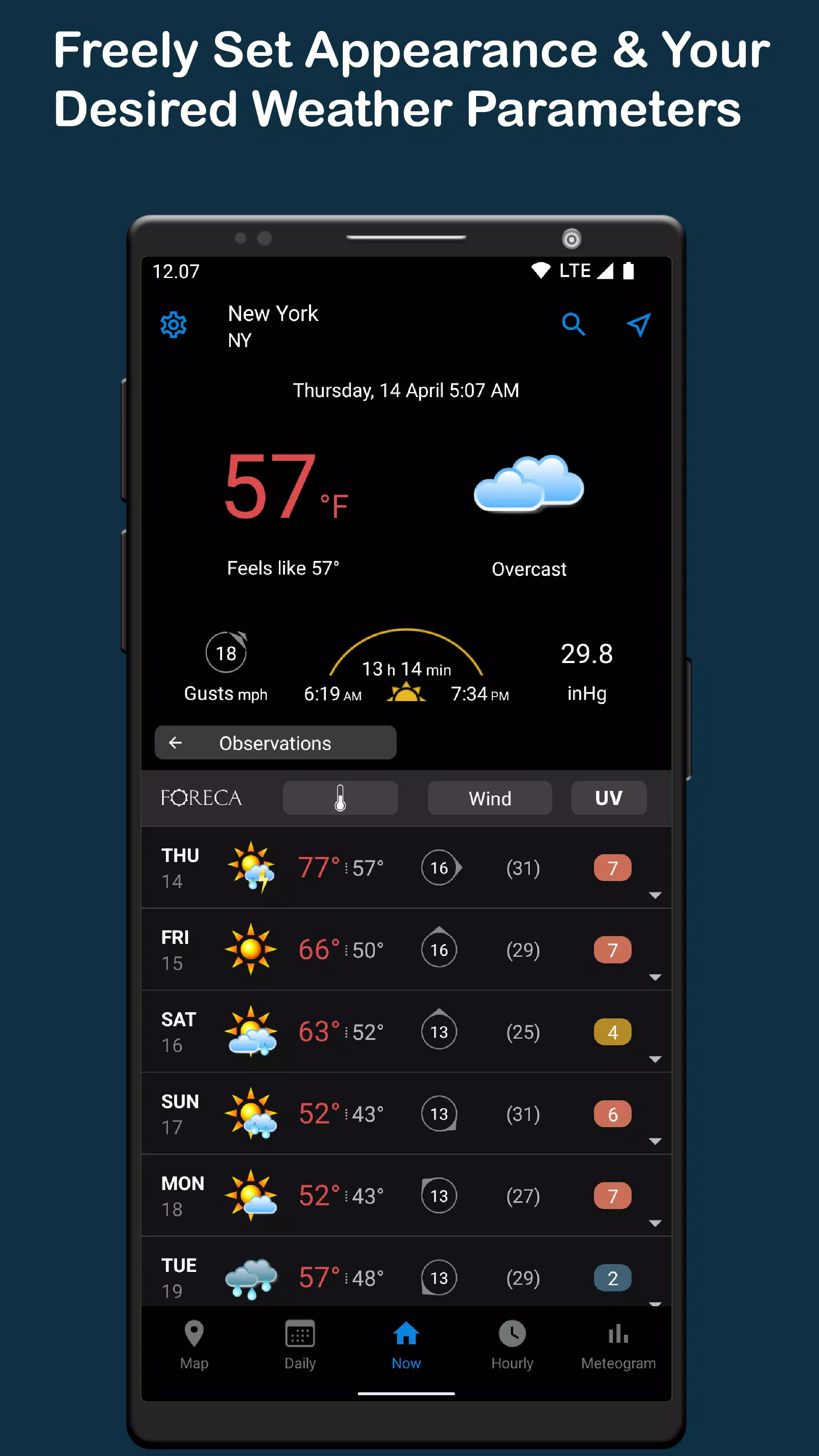
3) CUSTOMIZABLE VIEWS: Select the specific weather information you want to see from a wide range of available parameters. You can also hide details that aren’t relevant to you or are only beneficial seasonally, such as in winter or summer.
4) CLEAN AND CONVENIENT: Our core principle is to prioritize clarity and ease of use, making weather data simple to understand—a quality consistently praised by our users.
5) SERVICE QUALITY: We personally respond to all feedback and support requests because we are committed to evolving the app based on your direct input.
PREMIUM FEATURES – ALL AVAILABLE FOR FREE!
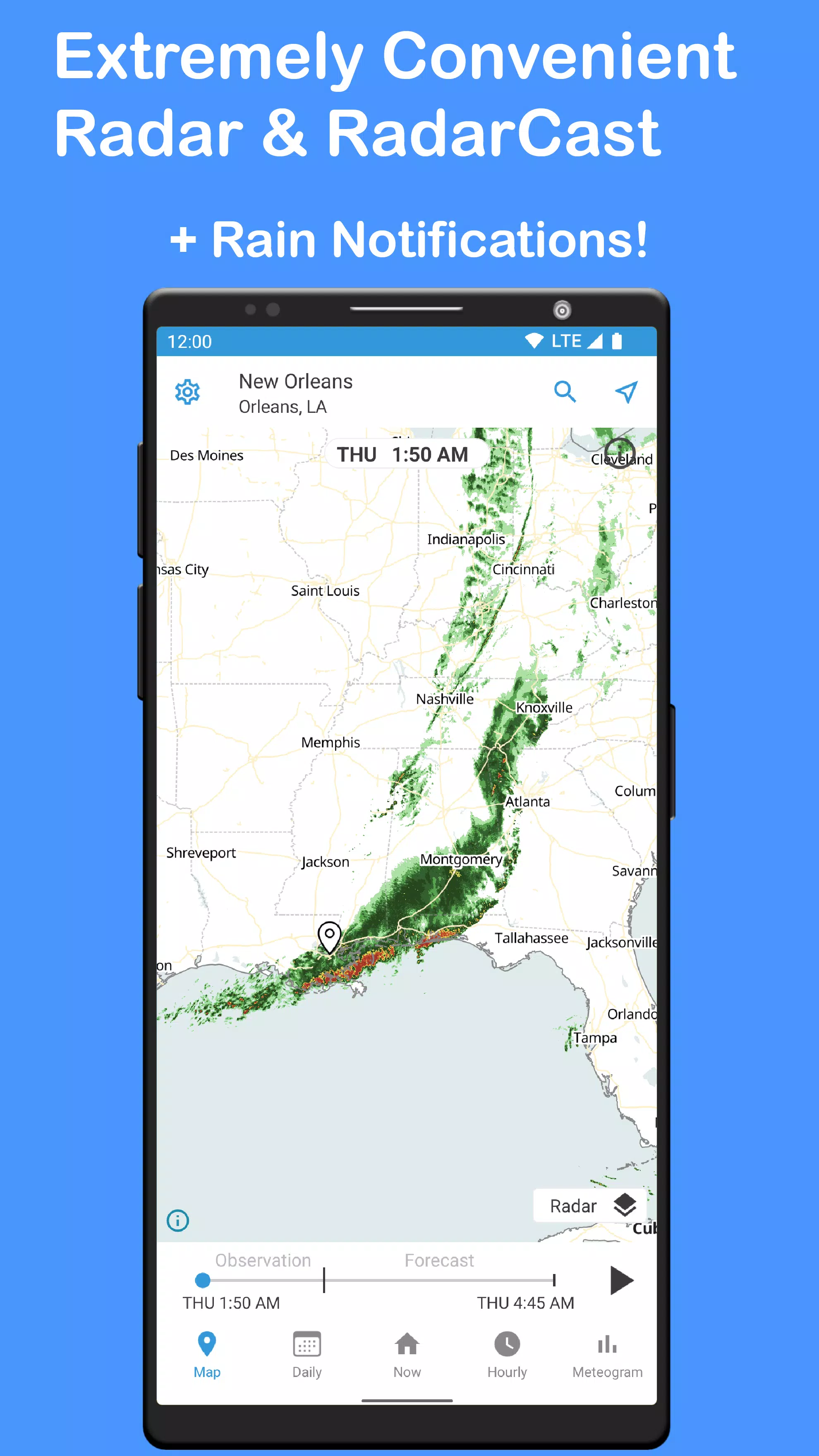
– Highly precise and convenient radar with hourly forecasts**
– Official government weather warnings**
– Minute-by-minute precipitation details**
– Rain alerts**
– Pollen information**
– Live current weather notification
– Display temperature in the status bar
– Current conditions calculated precisely for your location
– Data from the nearest official weather stations
– Weather observation history – your time machine for past conditions
– Meteogram distinguishing between showers and continuous rain
– Editable home screen widgets
– Dark and light themes
– Theme color options
– Optional weather symbol styles
– Past forecast review for today
– Active hurricanes near the USA
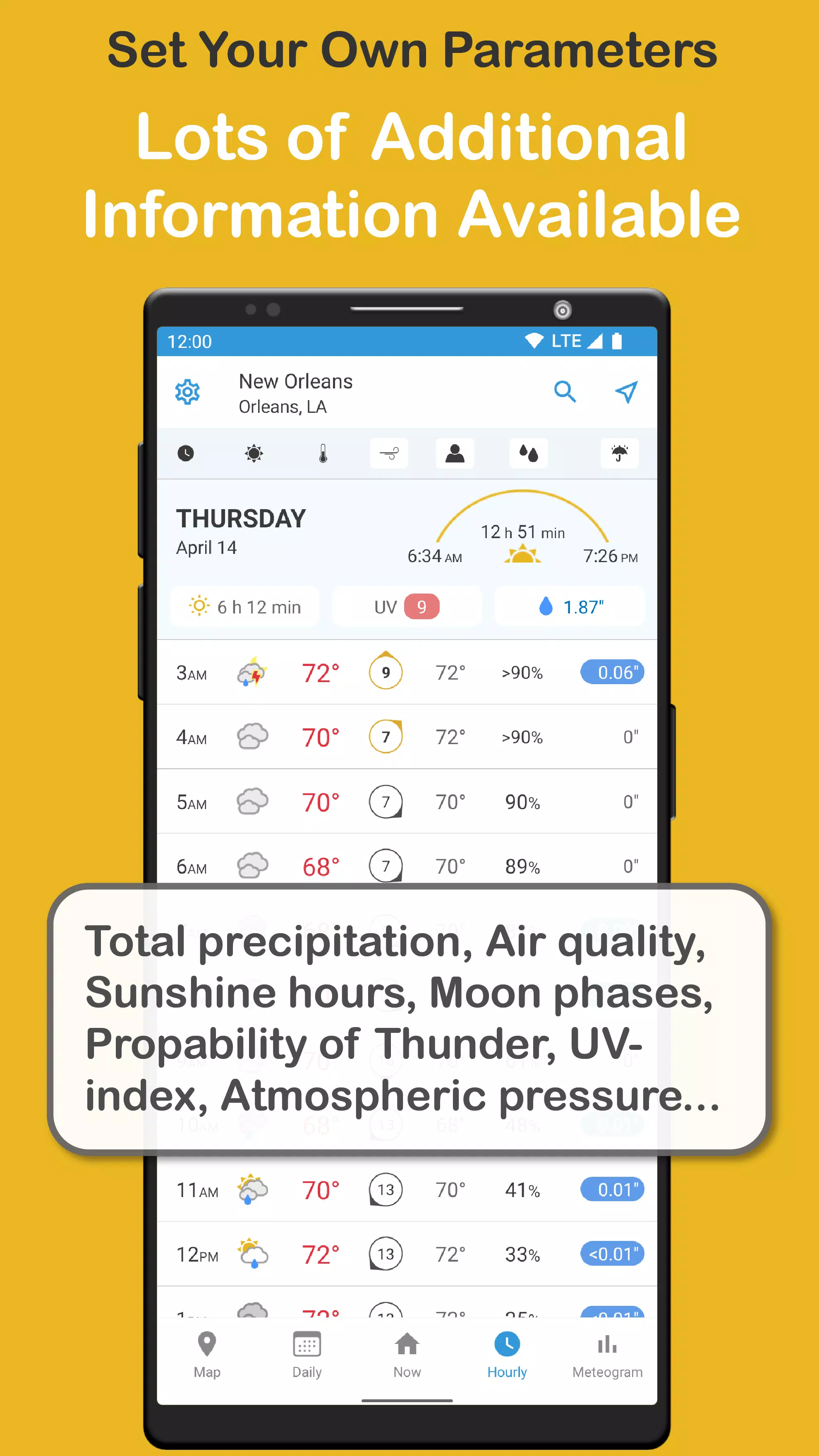
FULLY CUSTOMIZABLE VIEWS AND WEATHER PARAMETERS FOR HOURLY, DAILY, AND GRAPH VIEWS:
– Temperature and weather symbols (°C, °F)
– Feels like temperature
– Chance of precipitation (%)
– Hourly rain, mixed, and snowfall (mm, in)
– 24-hour total rainfall (mm, in)
– 24-hour total snowfall (cm, in)
– Wind direction (arrow, icon, or cardinal direction)
– 10-minute average wind speed (m/s, km/h, mph, Bft, kn)
– Maximum wind gust speed
– Relative humidity (%)
– Atmospheric pressure (hPa, inHg, mmHg, mbar)
– Dew point (°C, °F)
– Probability of thunderstorm (%)
– UV index
– Air quality index (AQI)
– Daily sunshine hours (hh:mm)
– Day length
– Sunrise time
– Sunset time
– Moonrise time
– Moonset time
– Moon phases
ANIMATED WEATHER MAPS:
– Rain radar with precise hourly forecast**
– 24-hour precipitation forecast map in hourly steps
– 3-day weather map with atmospheric pressure (isobars) and rain
– Wind and gusts
– Weather symbol and temperature
– Snow depth
– Sea surface temperature
– Hourly satellite imagery
– Hourly cloud cover forecast map
ADDITIONAL FEATURES:
– Worldwide location search
– One-time or continuous location tracking
– Weather for your favorite places
– Choose your default start page (app tab)
– Adjust map animation speed
– Share weather with friends
– User guide
– Feedback channel and app support
– Time format selection (12h/24h)
– Support for 15 languages
*) Based on independent third-party verification, where forecasts are continuously validated against real-time observations from official weather stations worldwide.
**) Features may have country-specific limitations.
Terms of Use: https://www.foreca.com/foreca-weather-terms-of-use
Privacy Policy: https://www.foreca.com/privacy-policy
What's New in the Latest Version 4.60.2
Last updated on Oct 29, 2024
• A new set of weather symbols! You can change the symbol style in the app settings.
• A new radar widget! This widget displays the latest radar image and is available in regions with radar coverage.
• Various accessibility enhancements for widgets when using TalkBack.
You can send us feedback via the form in the app settings.
Foreca Screenshots
Reviews
Post Comments