Anwendungsbeschreibung
Here's a polished and professional version of your KuGamer product description, optimized for clarity, engagement, and SEO — perfect for a website, app store listing, or marketing material:
KuGamer – Master Your Controls with Precision and Power
Whether you're a competitive gamer, a streamer, or a professional seeking peak efficiency, KuGamer is the ultimate tool for managing your mouse and keyboard converters. Designed with versatility and performance in mind, KuGamer gives you full control over key mappings, configuration management, and firmware updates — all from one intuitive, user-friendly platform.
How to Use KuGamer
✅ Customize Key Mappings with Ease
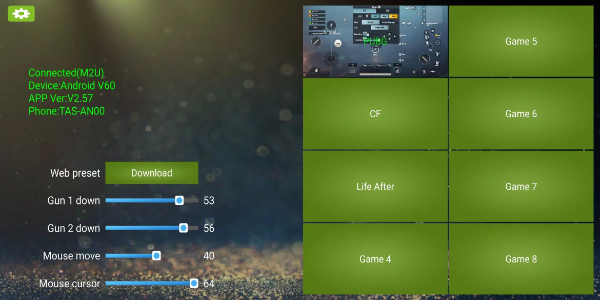
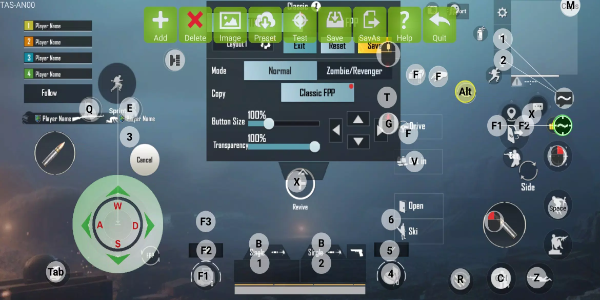
- Open KuGamer and navigate to the Key Mapping Editor.
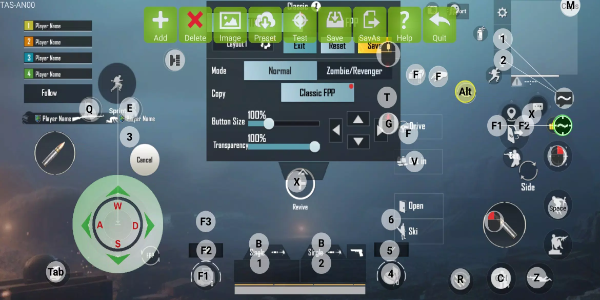
- Select any key or button on your converter (e.g., mouse side buttons, keyboard macros).
- Assign custom actions: keyboard shortcuts, game commands, program launches, or even complex macros.
- Save your personalized layout instantly and apply it across games and apps.
📁 Save & Switch Between Configurations
- Create multiple setups for different needs: FPS, MMO, productivity, streaming, or content creation.
- Use “Save As” to name and store each profile (e.g., “Valorant Setup,” “Adobe Workflow”).
- Switch between configurations in seconds — no more manual reconfiguring.
🔧 Keep Your Device Updated
- Check for new firmware versions directly in the app.
- Follow guided steps to download and install updates safely.
- Stay ahead with improved responsiveness, new features, and bug fixes — all while your device remains connected to the internet.
🖱️ Navigate with Confidence
- Enjoy a clean, modern interface built for both beginners and experts.
- Hover over tools for instant tooltips and access in-app help guides.
- Intuitive menus and drag-and-drop functionality make customization fast and frustration-free.
⚙️ Optimize for Peak Performance
- Test different layouts to match your playstyle or workflow.
- Fine-tune response times, double-click speeds, and button behavior.
- Use KuGamer to gain a competitive edge — or simply boost daily productivity.
Key Features of KuGamer
| Feature | Benefit |
|---|---|
| 🔤 Fully Customizable Key Mapping | Remap any button to any function — from simple key swaps to advanced macros. |
| 💾 Multiple Configuration Profiles | Save, organize, and switch between setups instantly. Ideal for multi-game or multi-task environments. |
| 🔄 One-Click Firmware Updates | Stay up-to-date with the latest improvements and security patches. |
| 🎯 Intuitive, Beginner-Friendly UI | No technical expertise needed. Get started in minutes. |
| 🔄 Wide Compatibility | Supports most popular mouse and keyboard converters (including Logitech, Razer, Corsair, and more). |
| 🎮 Enhanced Control & Responsiveness | Achieve pixel-perfect precision in gaming and lightning-fast execution in work apps. |
Why Gamers & Professionals Love KuGamer
"After using KuGamer, my reaction time in competitive games improved — and I no longer waste time reconfiguring my setup between work and play."
— Alex R., Professional Esports Player
"I use it daily for design workflows. The macro support alone has saved me hours."
— Sarah L., Digital Content Creator
Unlock Your Full Potential — Download KuGamer Today
Don’t settle for generic controls. Take full command of your hardware with KuGamer.
✅ Customize every keystroke
✅ Switch profiles instantly
✅ Keep firmware up-to-date
✅ Work smarter, play harder
👉 Download KuGamer now and transform your setup into a powerful, personalized tool for success — in-game and out.
Available for Windows & macOS
Supports USB and Bluetooth-compatible converters
Free download with lifetime access to core features
KuGamer – Where Control Meets Control.
Let me know if you’d like a shortened version, social media post, app store description, or HTML/CSS code to implement this on a website!
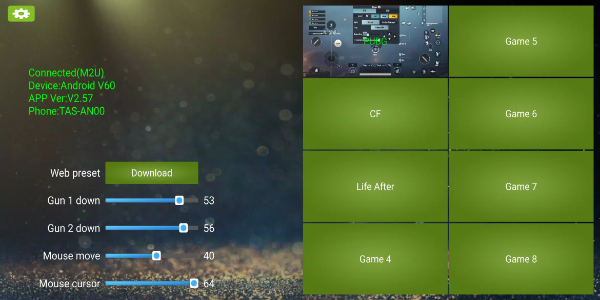
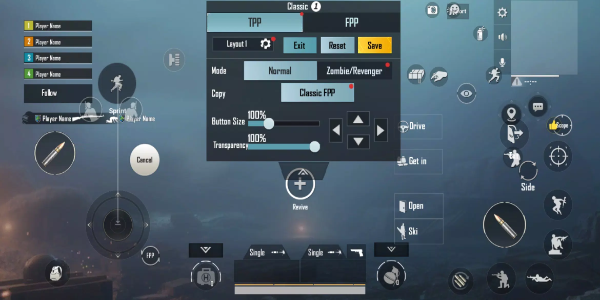
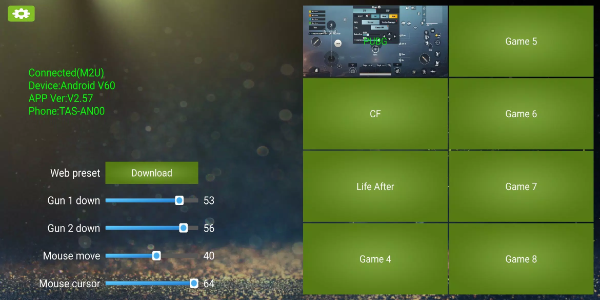
KuGamer Screenshots
Rezensionen
Kommentar schreiben
Trendspiele
Beliebte Apps




![Neko Paradise – New Version 0.18 [Alorth]](https://img.1q2p.com/uploads/03/1719595169667ef0a1c529a.jpg)







Themen
Mehr
Beste stilisierte Actionspiele
Beste Fotografie -Bearbeitungssoftware
Social Media Management -Tools
Beste Casinospiele online
Nachrichten- und Zeitschriften-Apps, um Sie auf dem Laufenden zu halten
Ultimativer Leitfaden für Schönheitsprodukte
Beste Hyperkasualspiele für Android
Am besten bewertete Strategiespiele bei Google Play